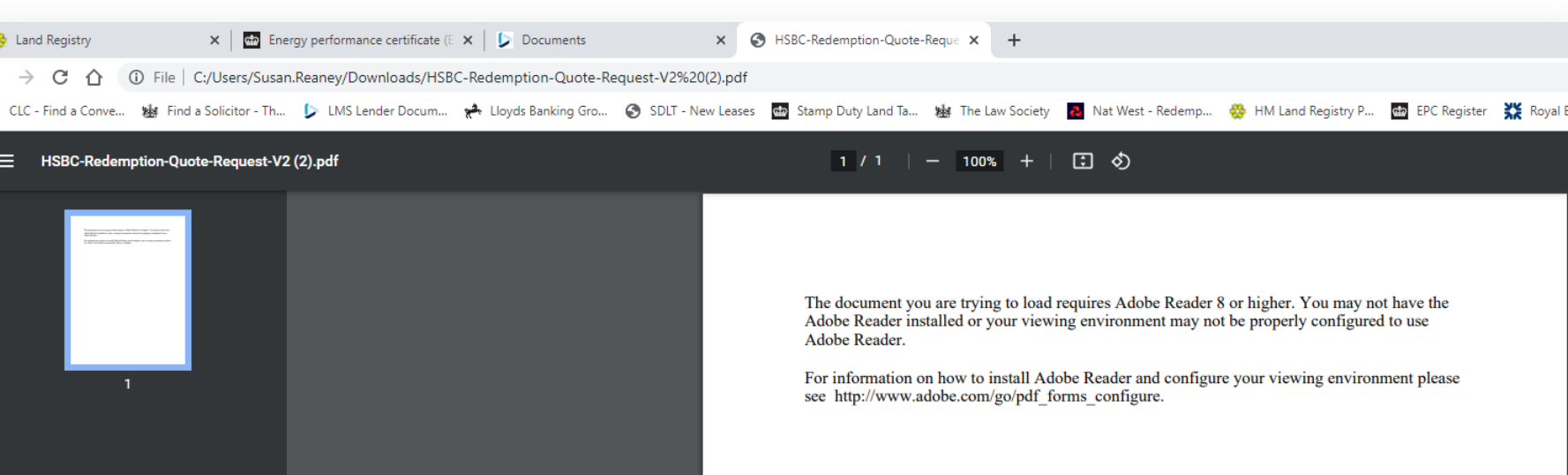
This error occurs because PDF files in chrome open in a new tab within chrome and not in Adobe Reader as required
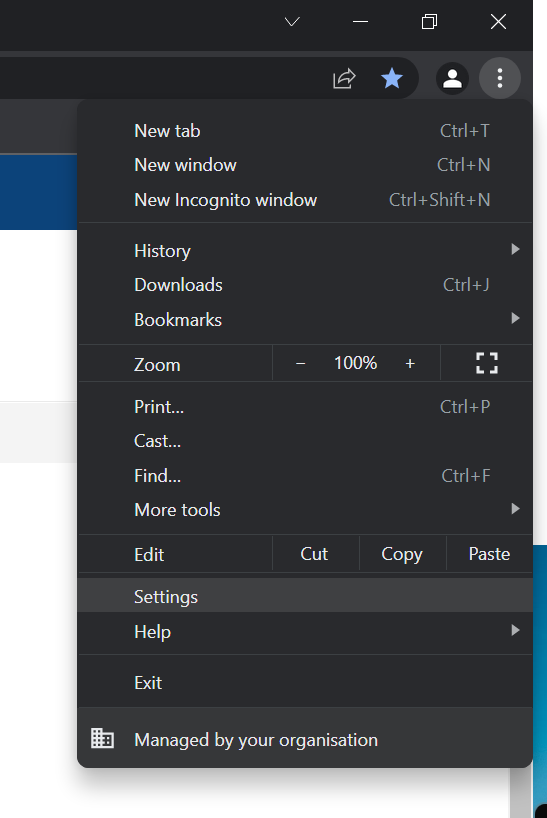
There is two parts to check for this issue. the first is within chrome settings for PDF handling. Click the ellipsis in the top right and the into settings:
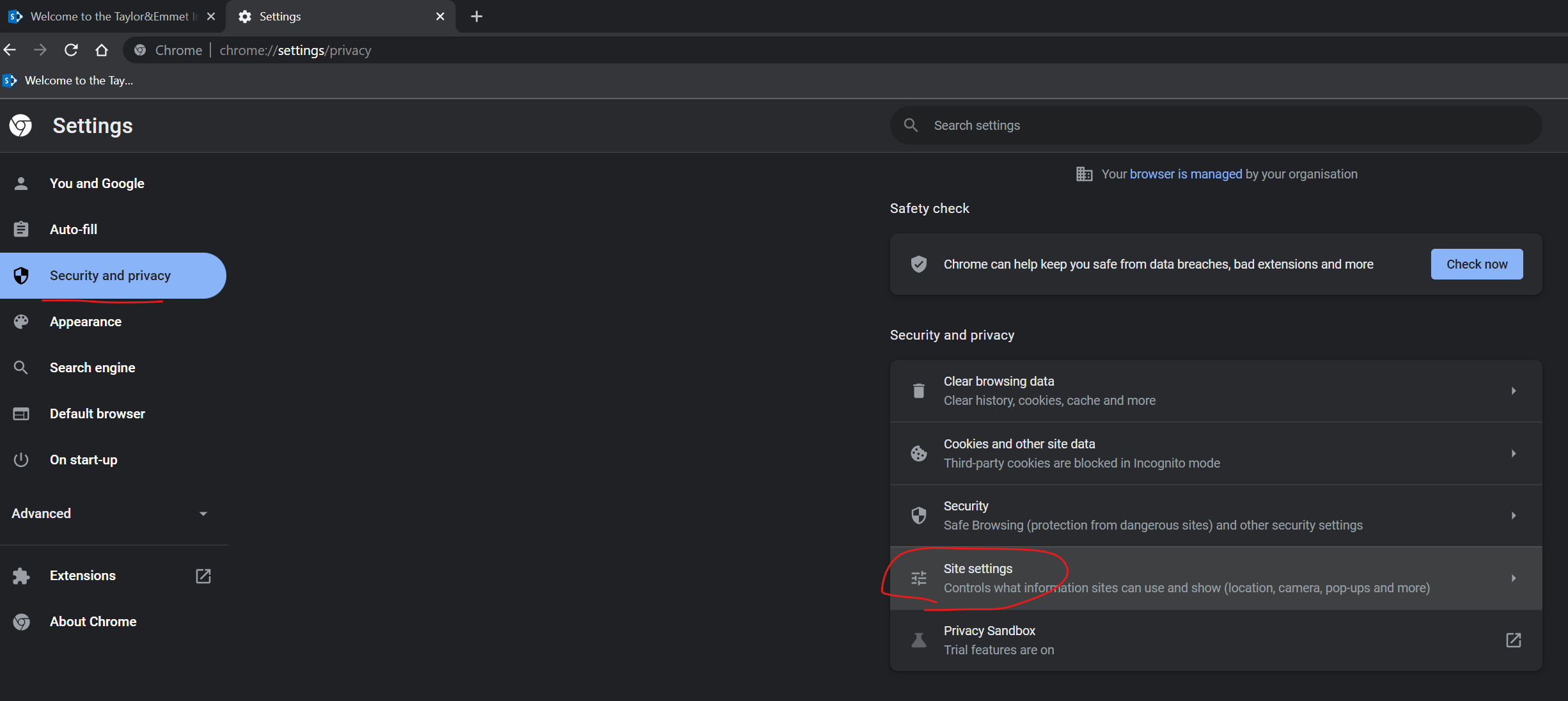
then from the left hand pane go to Security and Privacy and into Site Settings:
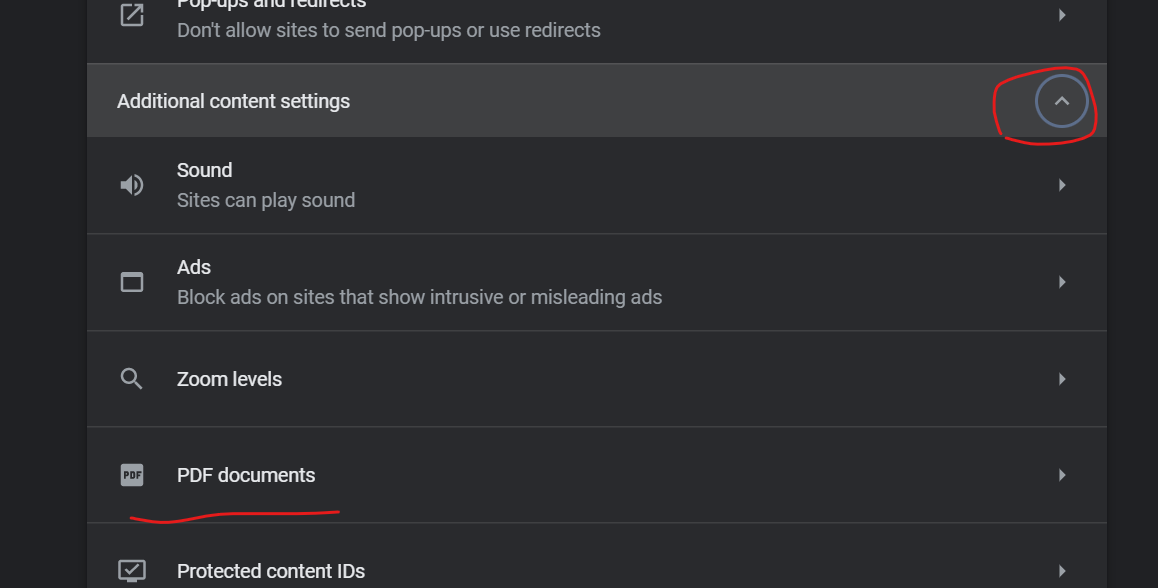
Scroll down to Additional content settings and into PDF Documents:
Now change the behaviour to Download PDFs instead of opening in chrome
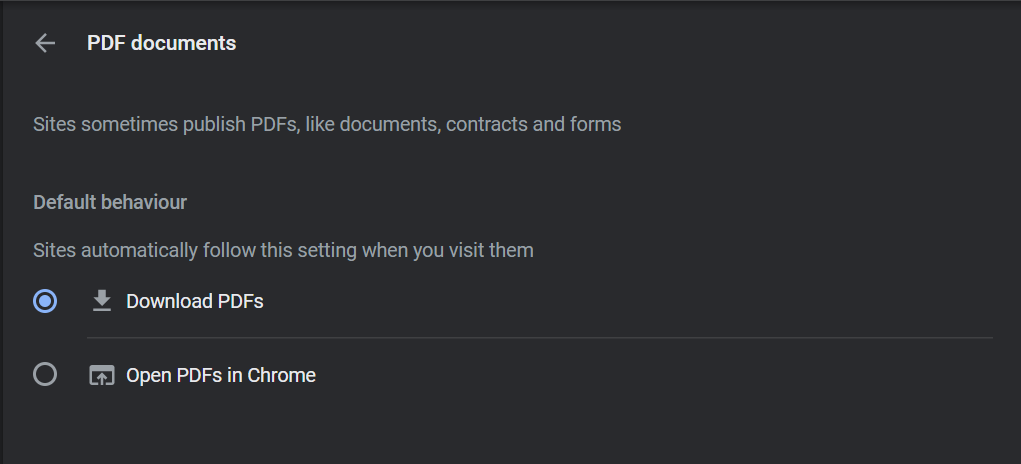
At this point when you go back and view the document it should download the file, if Adobe Reader is not set as default you'll still have trouble opening the file, to change that follow this guide:
Was this article helpful?
That’s Great!
Thank you for your feedback
Sorry! We couldn't be helpful
Thank you for your feedback
Feedback sent
We appreciate your effort and will try to fix the article