Meeting room permissions were recently reset so you can't enter meetings directly into those calendar anymore.
The process should be to send a meeting invite to the room & attendess, the room will automatically accept if it is free
Either click New Meeting from the toolbar or right click in your own or a fee earners calendar to arrange on their behalf > New meeting Request
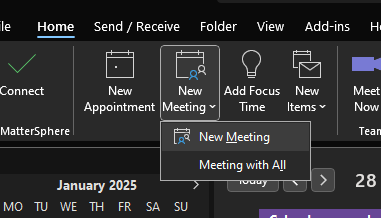
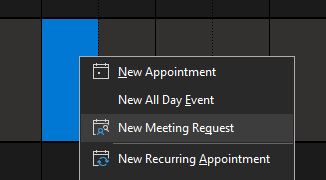
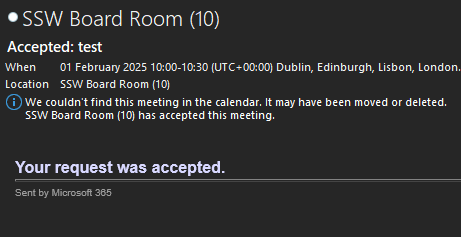
Enter the meeting information as normal including the Location which is the meeting room of your choice. Once you send the request you will receive a notification if the room has accepted/denied your request:
Was this article helpful?
That’s Great!
Thank you for your feedback
Sorry! We couldn't be helpful
Thank you for your feedback
Feedback sent
We appreciate your effort and will try to fix the article