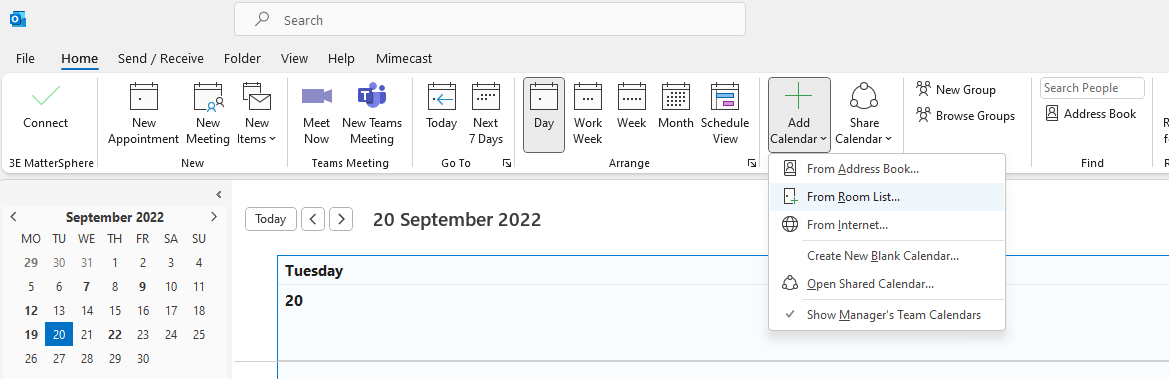
you can open any calendar you need by going to the Add calendar option on the tool bar then From Address book (for another persons) or From Room List for any meeting rooms/team diaries & select the ones you need from the list
if you require permissions to see/edit entries then please log a ticket in the usual way
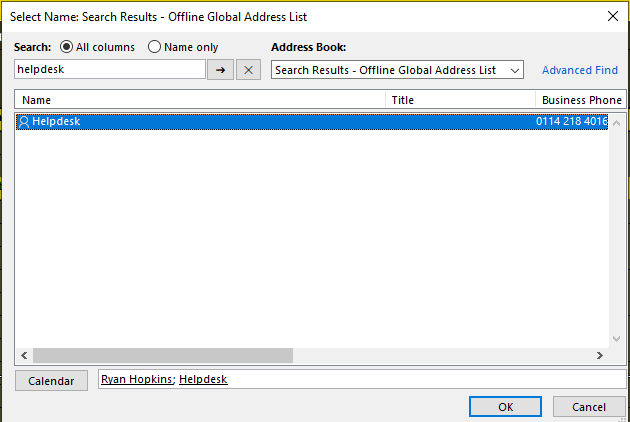
You can search and add multiple calendars at a time from the selection pane:
Was this article helpful?
That’s Great!
Thank you for your feedback
Sorry! We couldn't be helpful
Thank you for your feedback
Feedback sent
We appreciate your effort and will try to fix the article