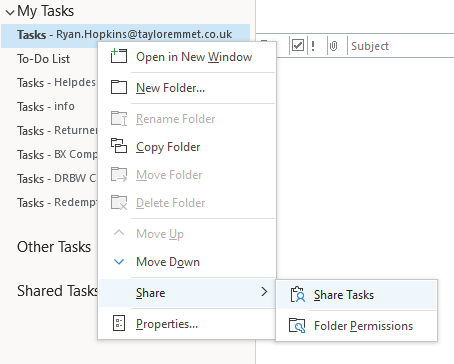
On the task tab within Outlook right click the entry for yourself under "My Tasks" and choose Share Tasks
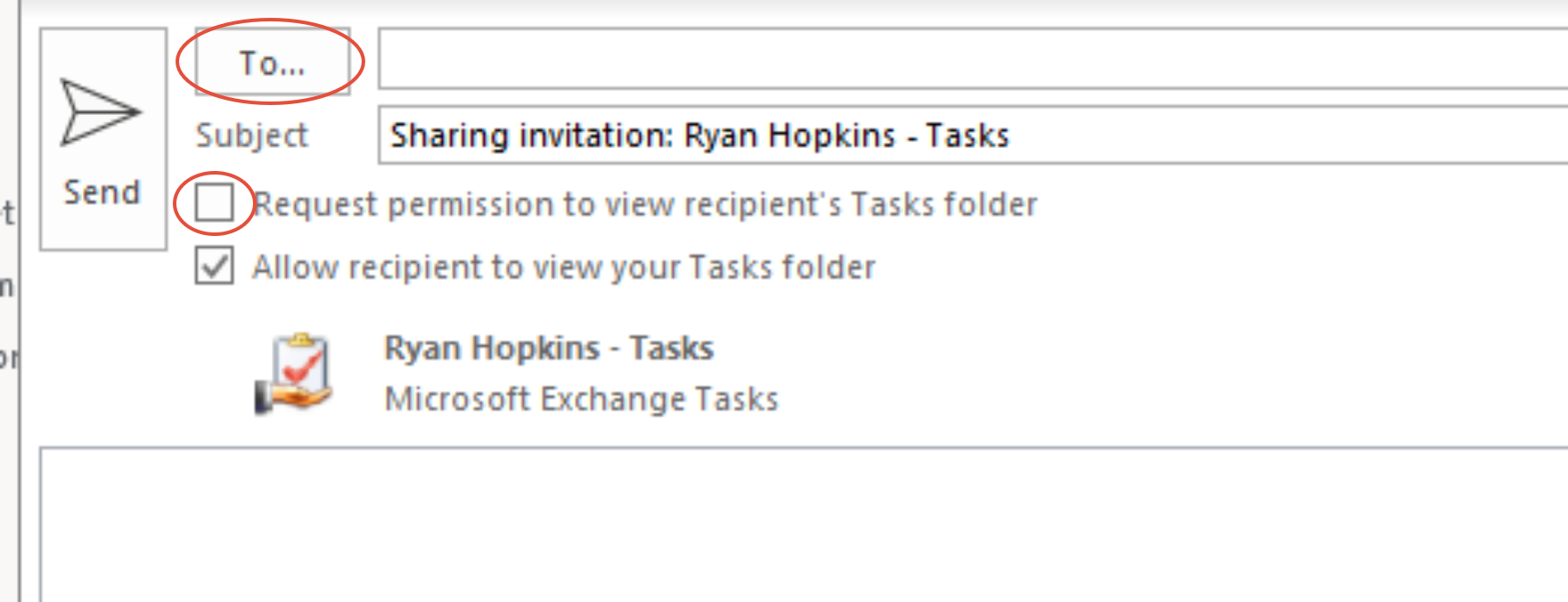
Then select the user(s) you want to share them with from the address book and select the option for permission to also see the recipient if required
You must select them from the address book and not the autocomplete suggestions as it will give an error
The default permission will be Read Only, to amend permissions so someone else can amend entries:
Right click the entry for yourself under "My Tasks" and choose Folder Permissions
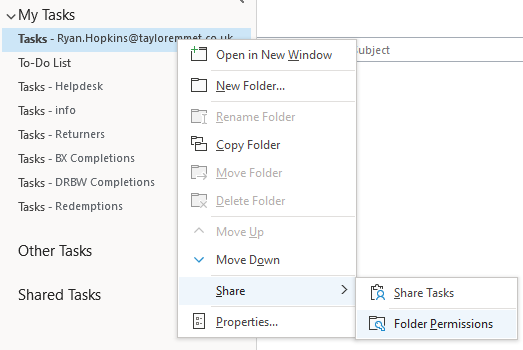
then select the user you wish to set permissions for and set to "Editor" which will allow them to create and amend entries
Was this article helpful?
That’s Great!
Thank you for your feedback
Sorry! We couldn't be helpful
Thank you for your feedback
Feedback sent
We appreciate your effort and will try to fix the article