If you see blank sections in a word document that you can move text to, try this fix, it is to do with some formatting within the document:
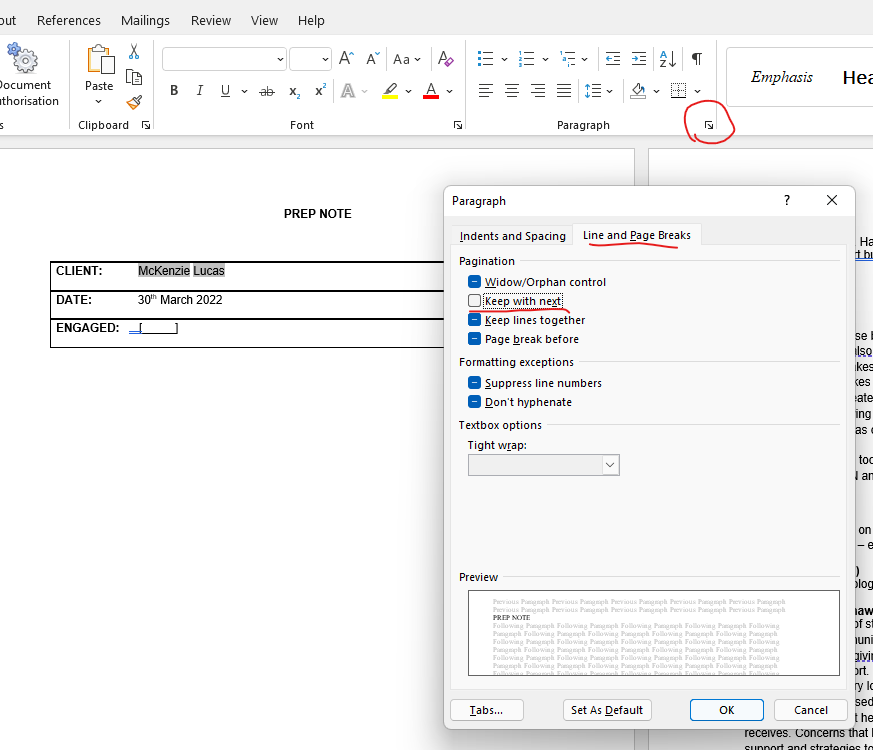
Highlight all the text around the blank area, then click the arrow under the Paragraph section on the toolbar to see all settings
then go onto the Line and Page Breaks tab and untick the Keep with next option. Click ok and the blank space should disappear
Was this article helpful?
That’s Great!
Thank you for your feedback
Sorry! We couldn't be helpful
Thank you for your feedback
Feedback sent
We appreciate your effort and will try to fix the article