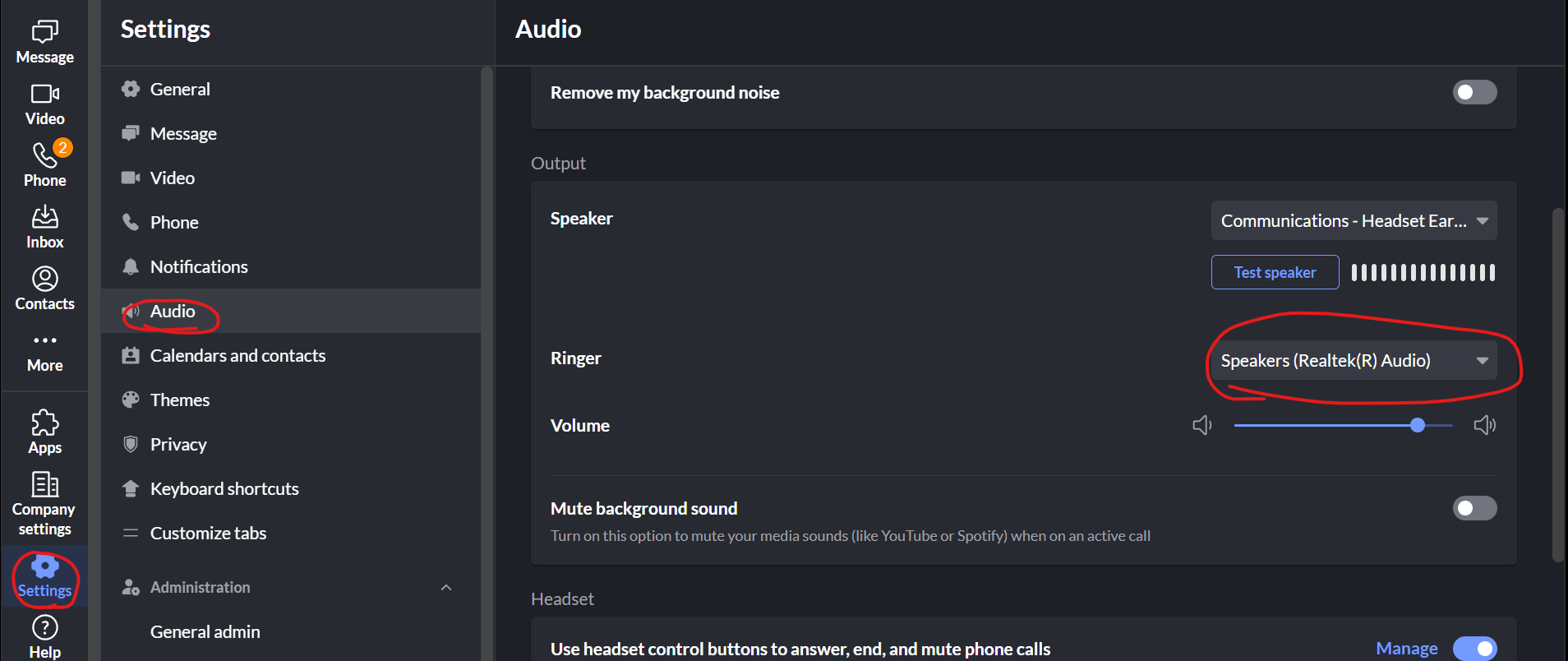
To set ringcentral calls to ring out from the laptop speakers, in Ringcentral go to Settings > Audio > Set the "Ringer" device to Speakers (Realtek) this should be your laptop speaker depending on the model of laptop:
you can also set the app volume from here but you will need to check the system volume as well to make sure it rings out properly.
Once the correct device is set in Ringcentral go to the Sound menu from the bottom right of your Windows taskbar. Check you are changing the volume for the correct device by clicking the > and selecting the Speakers:
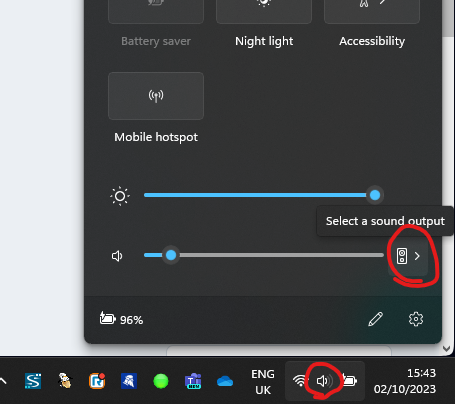
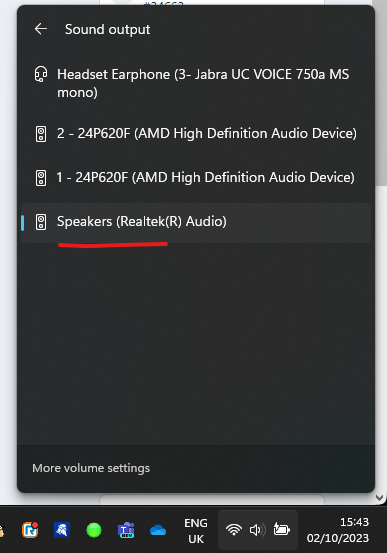
once selected, click the back arrow from that menu and set the volume to your preference. Once set you need to go back into the menu and select the Headset back to the default device - if you don't then this could cause some audio to come out of the laptop speakers instead of your headset
Was this article helpful?
That’s Great!
Thank you for your feedback
Sorry! We couldn't be helpful
Thank you for your feedback
Feedback sent
We appreciate your effort and will try to fix the article