Log into Barracuda web portal with SSO/Microsoft Login - https://sso.barracuda.com/
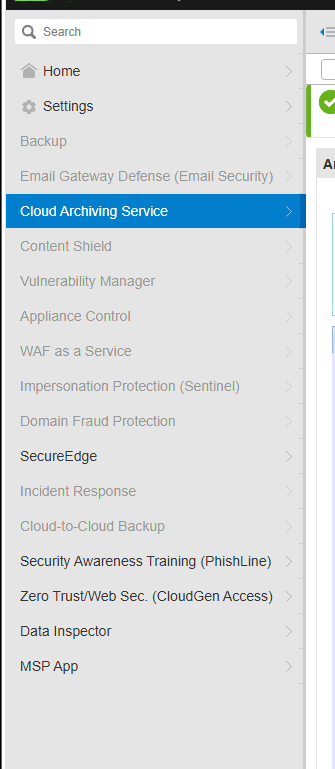
Access the Cloud Archiving Service:
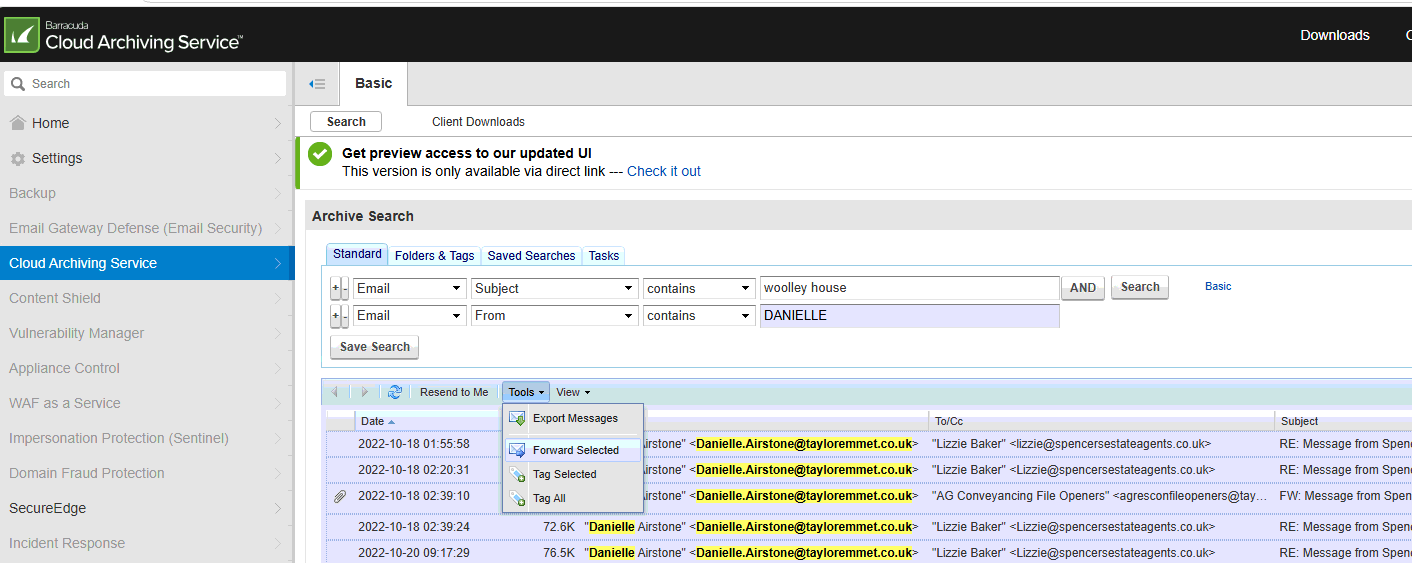
Then enter your search criteria, you can just search for keywords or use the Advanced search to set a specific search criteria.
The archive keeps all inbound/outbound emails even if they have been deleted or moved and as it's a cloud based service the search is really fast. You can select an email to preview it which then gives you and option to download the selected message or you can select multiple items and use the Tools dropdown to export them all:
Was this article helpful?
That’s Great!
Thank you for your feedback
Sorry! We couldn't be helpful
Thank you for your feedback
Feedback sent
We appreciate your effort and will try to fix the article