How to access the HR Portal:
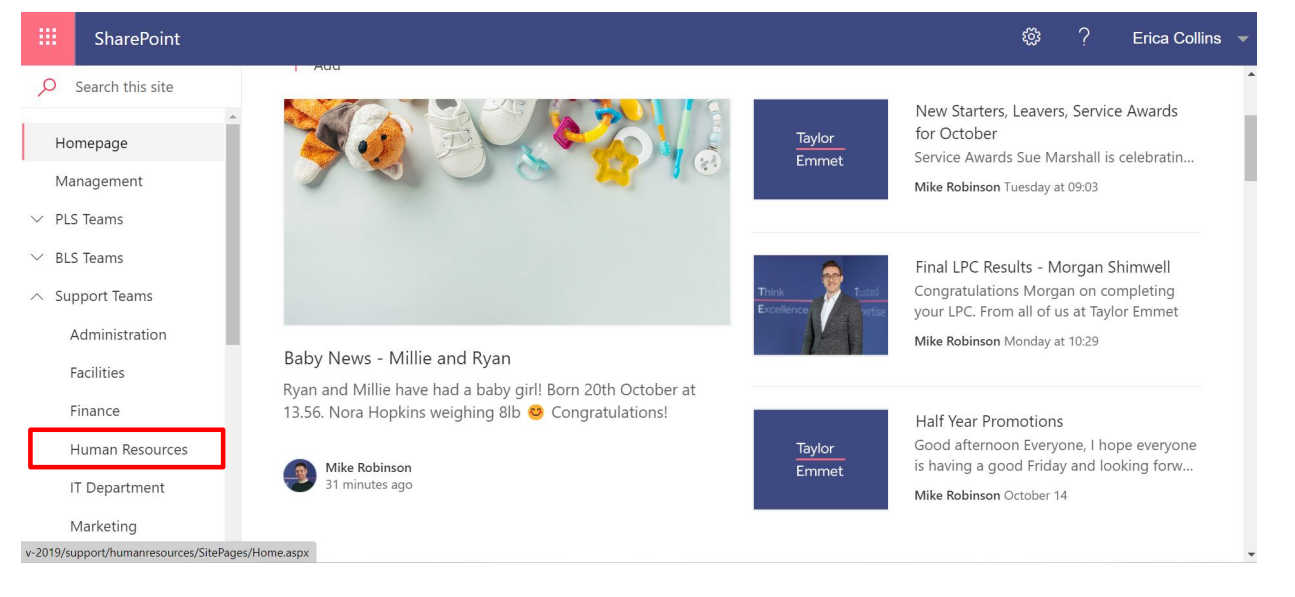
Click on the support teams drop down on the left-hand side of the Intranet and then click on “Human
Resources”
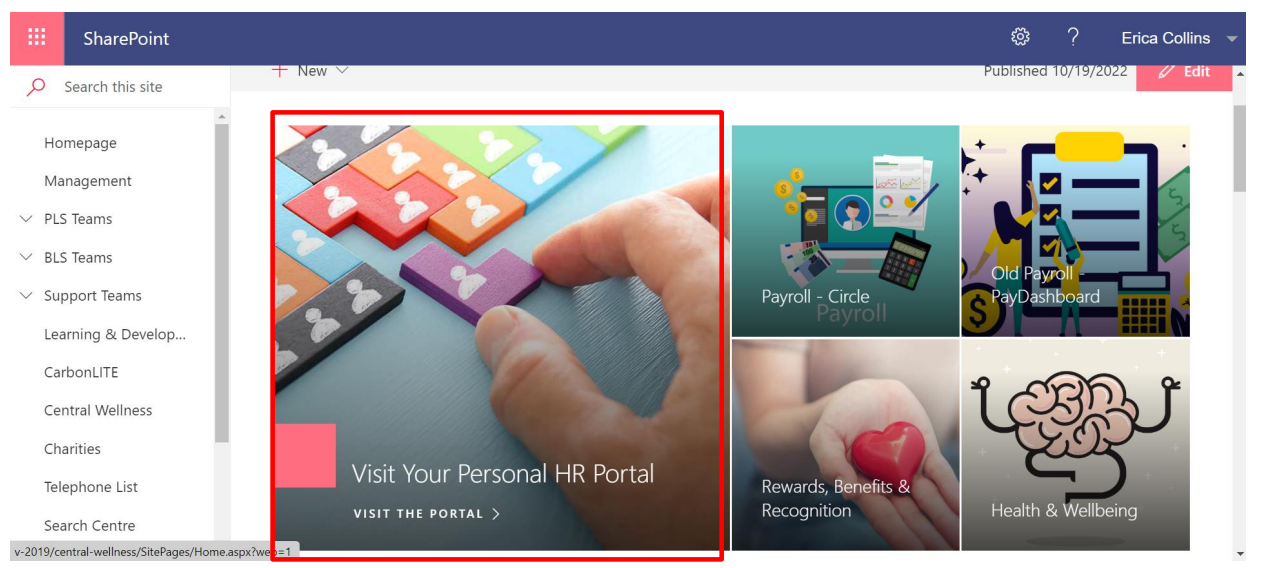
Click on the “Visit your personal HR Portal” section.
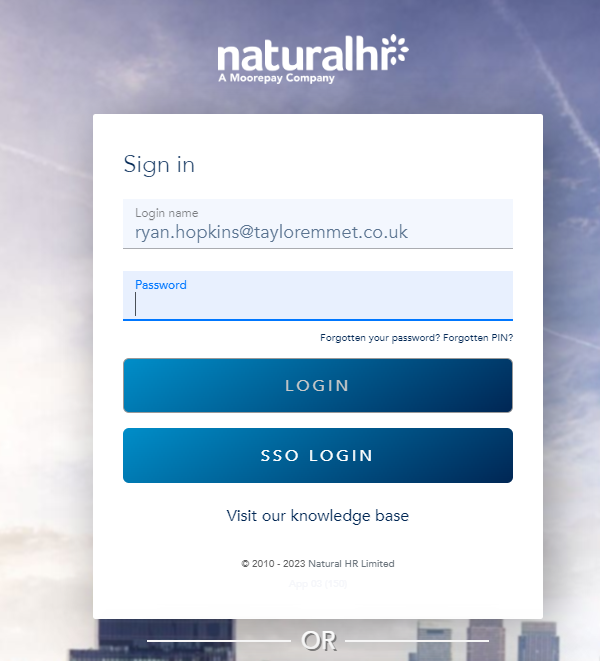
Enter your email address only and click SSO login - this is "Single sign on" so doesn't have a separate password and uses your office365 log in to authenticate
Was this article helpful?
That’s Great!
Thank you for your feedback
Sorry! We couldn't be helpful
Thank you for your feedback
Feedback sent
We appreciate your effort and will try to fix the article