Are you having trouble saving your Oyez directly to Mattersphere? Have the buttons vanished? Don't worry, just refer to the guide below:
1. Save current Oyez form to desktop if you don't want to lose progress.
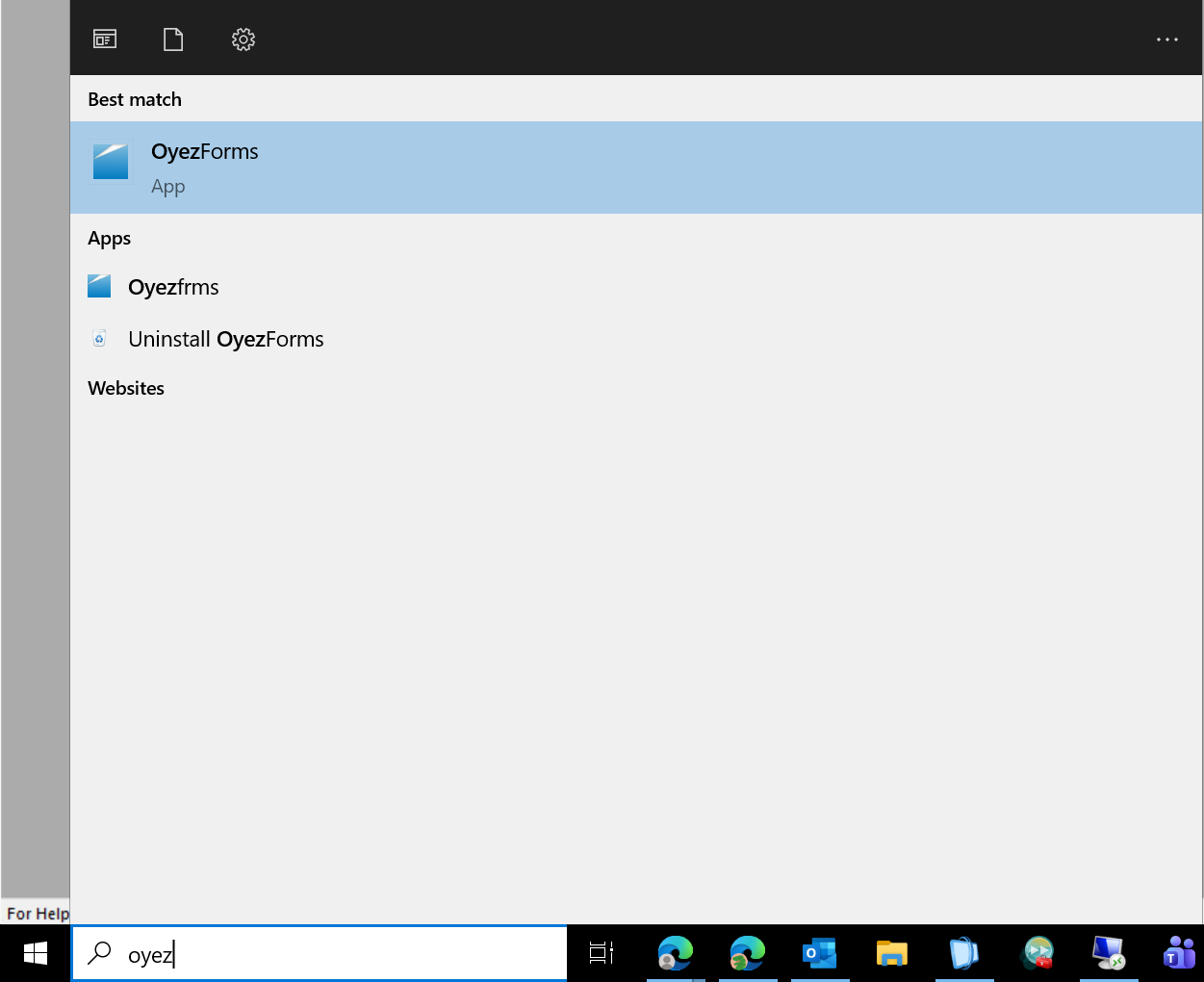
2. Open Oyez from the start menu.
2. If your Oyez toolbar looks like this, you will need to change the ribbon style.
Please go to Admin > Options and untick the "Ribbon Style" box
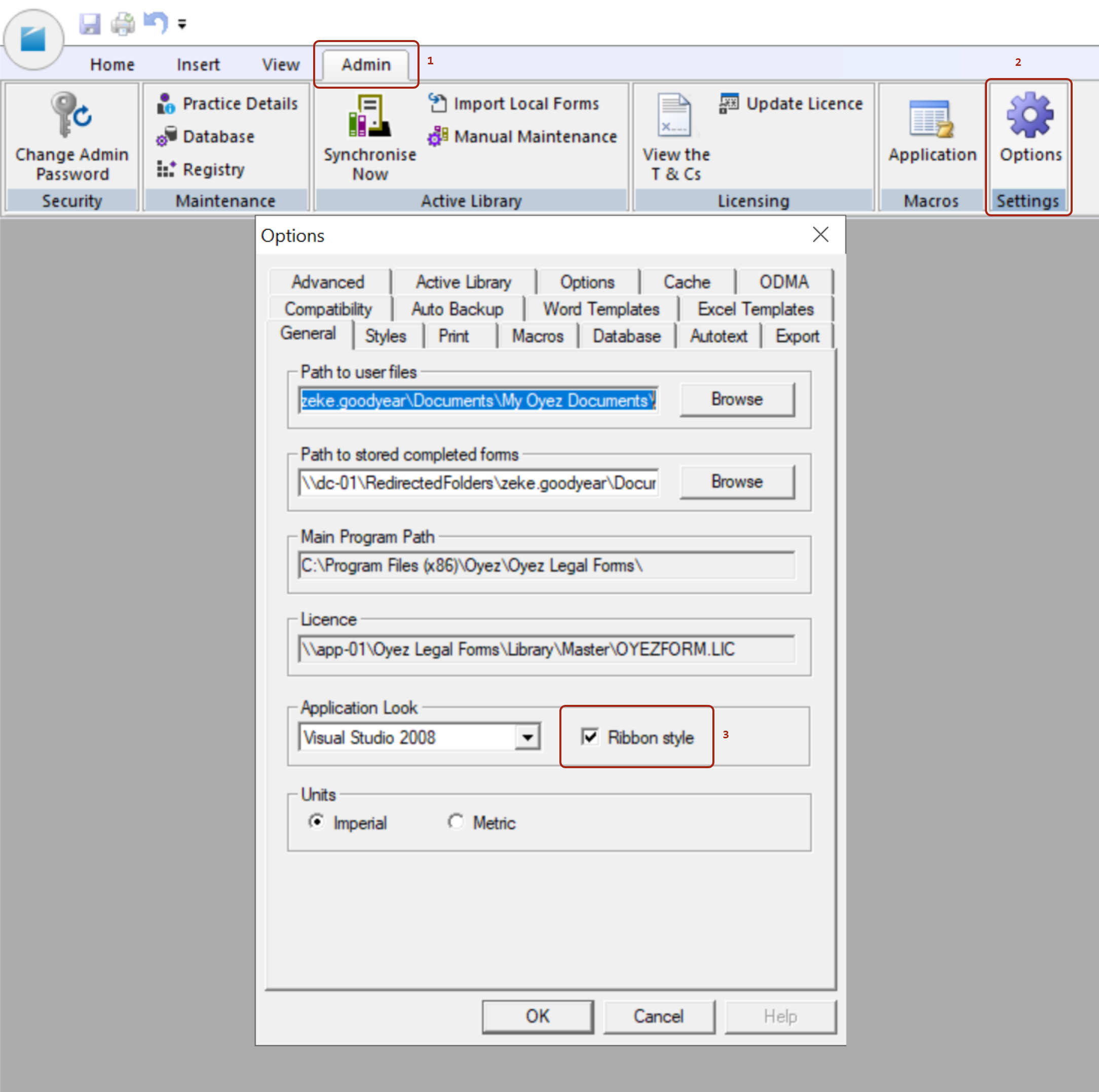
3. Click OK and restart Oyez
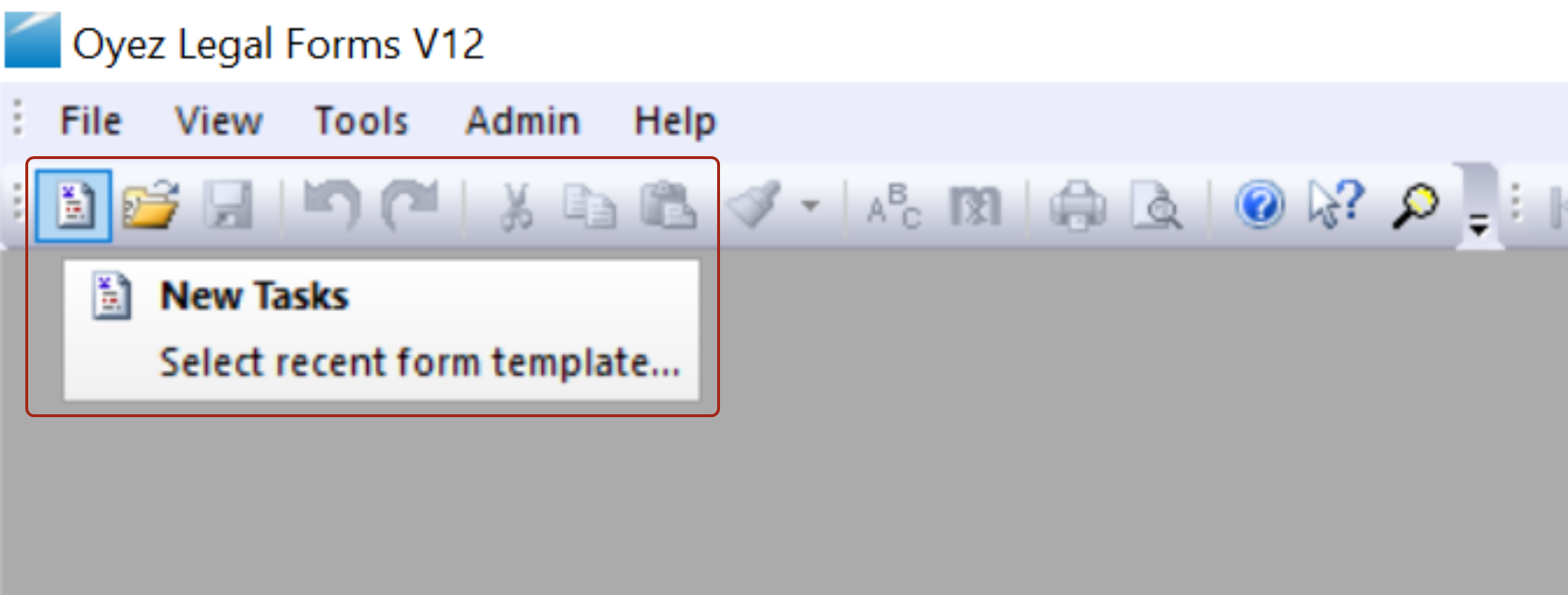
4. Click on the "New Tasks" Icon in the top left of the toolbar.
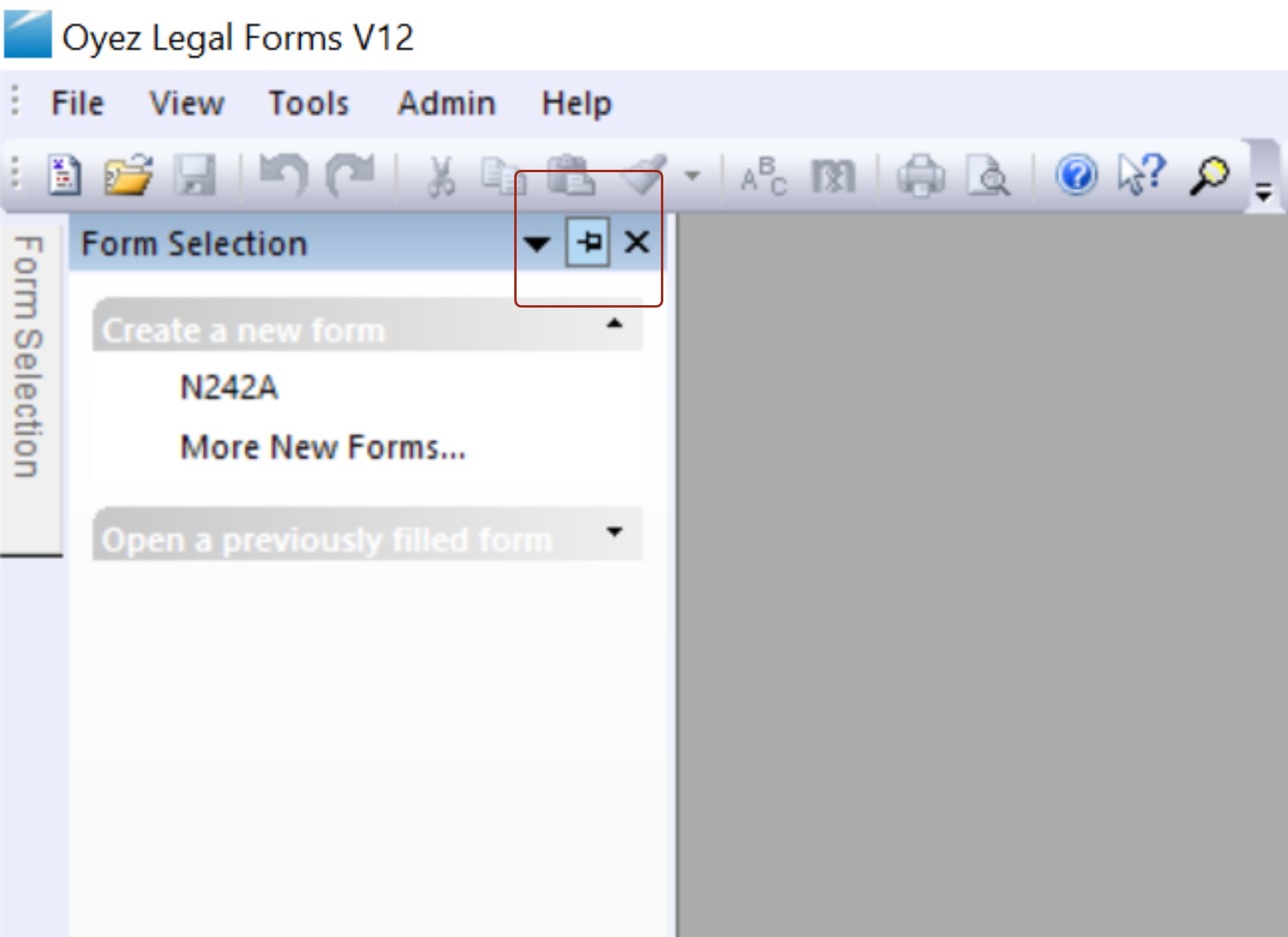
5. Click the Pin icon "AutoHide"
6. And then click the X next to this to hide the pop-out.
7. Close Oyez and re-open the form from the Matter OR where you saved it in step 1.
You should now see the Oyez-Mattersphere save functions.
If you have any questions, please feel free to reach out to the Helpdesk.
Was this article helpful?
That’s Great!
Thank you for your feedback
Sorry! We couldn't be helpful
Thank you for your feedback
Feedback sent
We appreciate your effort and will try to fix the article