How do I download a Bundle in sections?

Modified on Thu, 12 Feb at 10:28 AM

Press ‘generate an customise bundle’.

 A white background with blue lines 
AI-generated content may be incorrect.


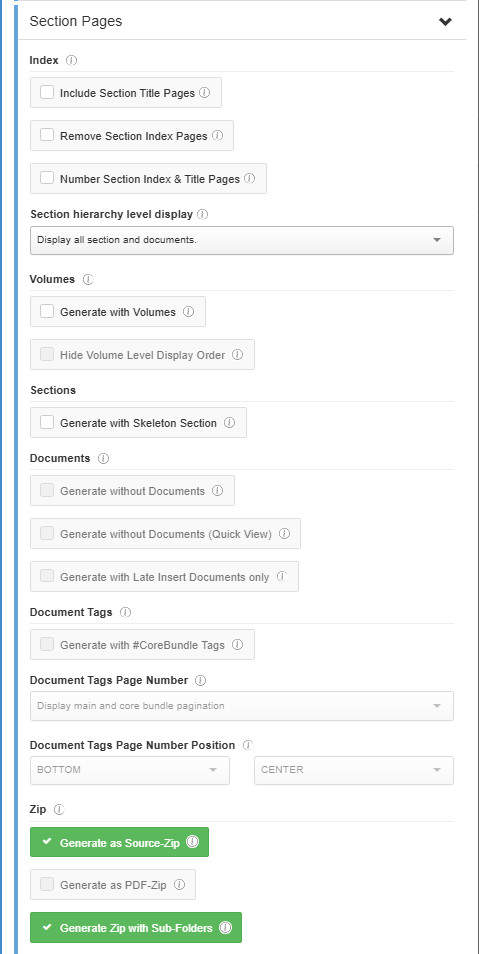
Scroll down to ‘Section Pages’ and press ‘Generate as Source Zip’ and ‘Generate Zip with sub-folders’ then scroll down and ‘Generate’

A screenshot of a computer 
AI-generated content may be incorrect.


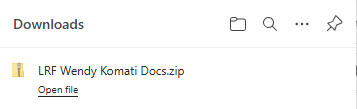
File will appear in top right of screen as usual under download.. open file
A black and white text 
AI-generated content may be incorrect.


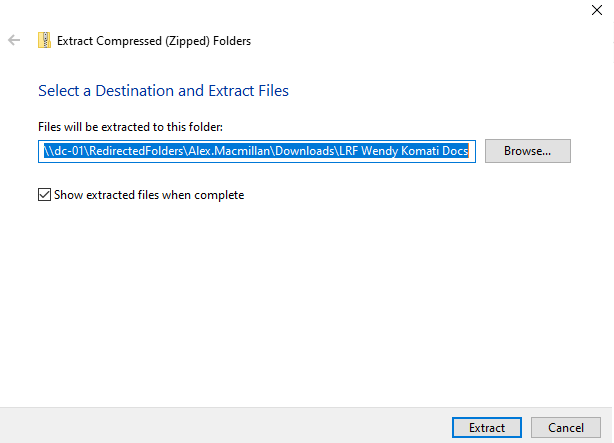
This will then pop up, press extract

A screenshot of a computer 
AI-generated content may be incorrect.


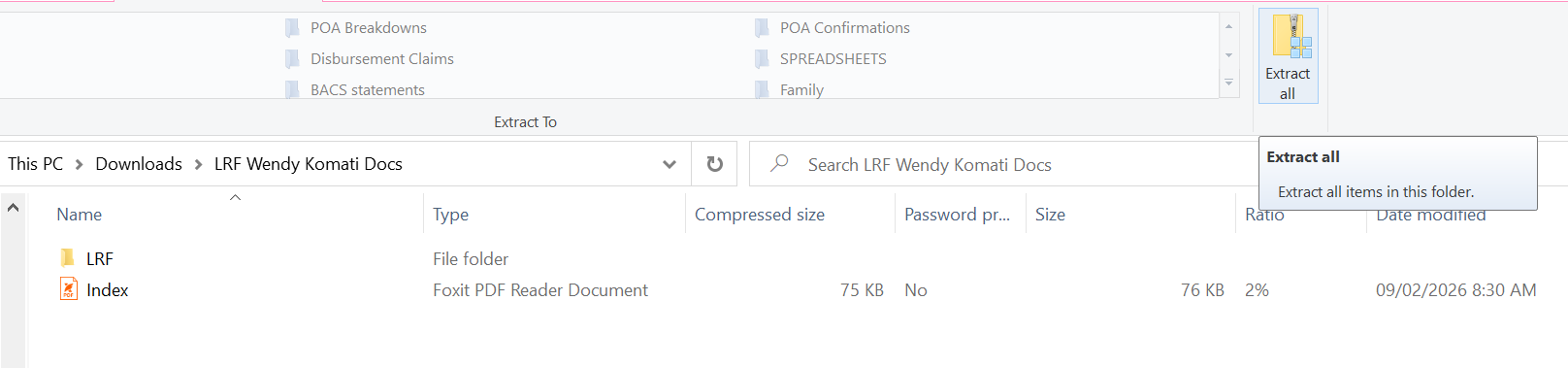
Then extract all on the next pop up

A screenshot of a computer 
AI-generated content may be incorrect.


The file will now be in your downloads on your PC ready to be saved onto the matter



Provided by Alex Macmillan

Press ‘create and customize a bundle’.

 A white background with blue lines AI-generated content may be incorrect.


Scroll down to ‘Section Pages’ and click ‘Generate as Source Zip’ and ‘Generate Zip with sub-folders’, then scroll down and click ‘Generate’


A screenshot of a computer AI-generated content may be incorrect.


The file will appear at the top right of the screen as usual under downloads. Open the file

A black and white text AI-generated content may be incorrect.


A prompt will then appear; click extract

A screenshot of a computer AI-generated content may be incorrect.


Then click extract all on the subsequent prompt

A screenshot of a computer AI-generated content may be incorrect.


The file will now be in your downloads on your computer ready to be saved onto the matter


Provided by Alex Macmillan

Was this article helpful?

That’s Great!

Thank you for your feedback

Sorry! We couldn't be helpful

Thank you for your feedback

Let us know how can we improve this article!

Select at least one of the reasons
CAPTCHA verification is required.

Feedback sent

We appreciate your effort and will try to fix the article