Process is the same for Outlook/Word/Excel
Go to file > options > add ins
Then go to the drop down box at the bottom of that window and choose disabled items and click go, if OMS is in there enable it if it’s not there just go to next step
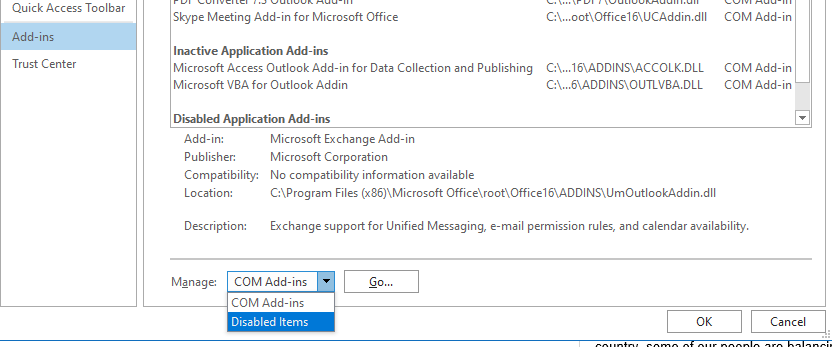
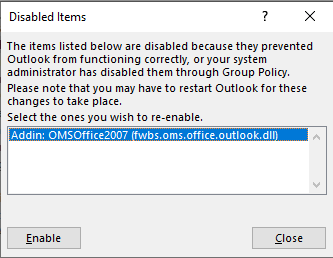
Now drop down to COM add ins and click go, then tick the box next to 3E Mattersphere and click ok to enable the add in

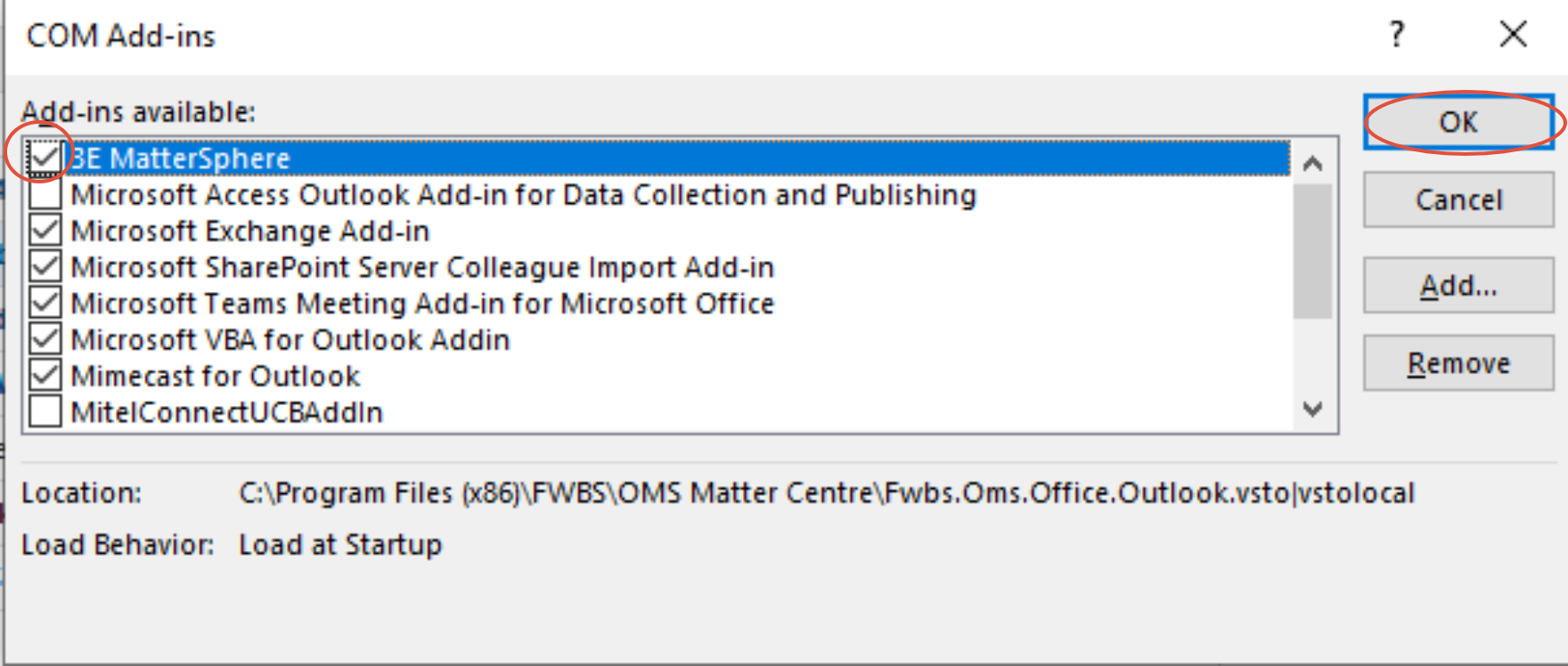
Close and reopen word and it should be active again
Was this article helpful?
That’s Great!
Thank you for your feedback
Sorry! We couldn't be helpful
Thank you for your feedback
Feedback sent
We appreciate your effort and will try to fix the article