You must use Microsft Edge for companies house or it will not work
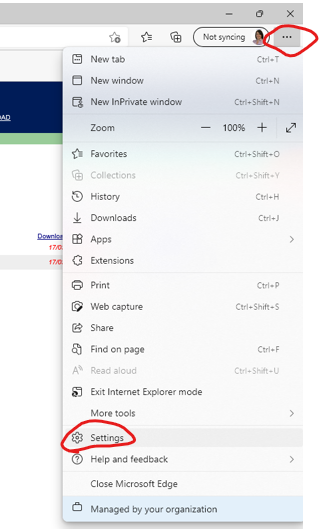
Open Edge, Click menu > settings
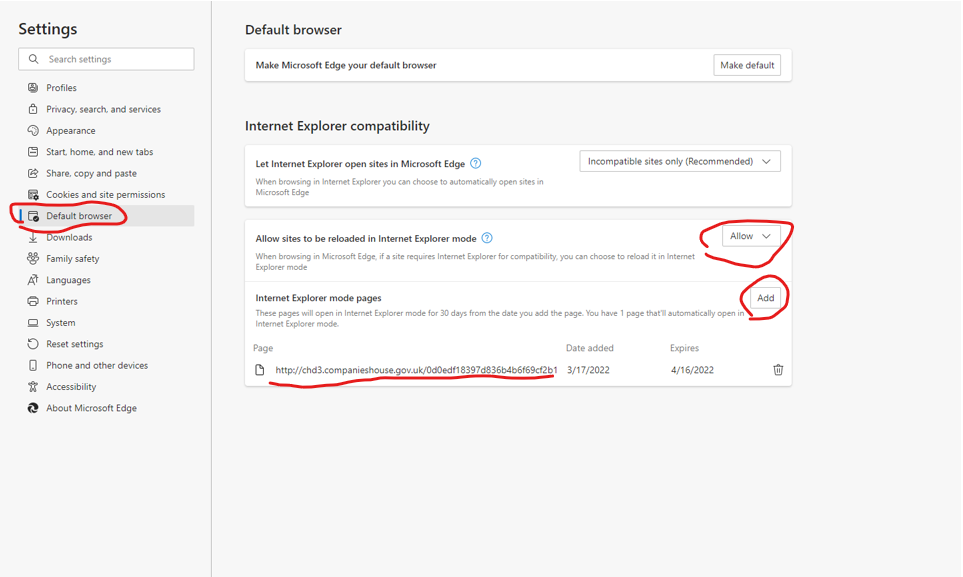
Then click Default browser in the left hand pane
set “Allow sites to be reloaded in Internet Explorer Mode” to Allow
Then click Add and copy and paste in the Companies House website URL - https://direct.companieshouse.gov.uk/login
Refresh the webpage and a banner should appear to show it is running in IE mode

Was this article helpful?
That’s Great!
Thank you for your feedback
Sorry! We couldn't be helpful
Thank you for your feedback
Feedback sent
We appreciate your effort and will try to fix the article